Performance Optimization
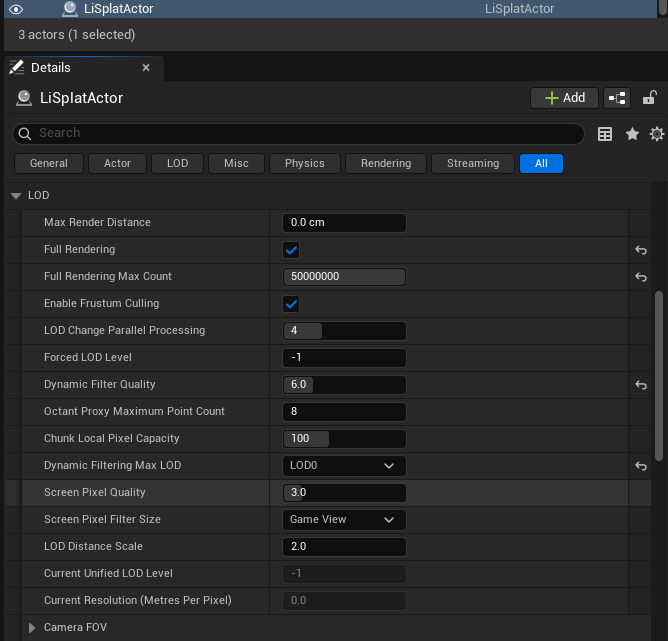
Performance controls are in the LiSplatActor Details panel. Establish the target device and frame rate first, then tune incrementally. Avoid large simultaneous changes to every control.
| Setting | First-release guidance |
|---|---|
| Enable Frustum Culling | Keep enabled to process only chunks needed by the camera frustum. |
| Screen Pixel Quality | Higher values generally preserve more detail and may cost more performance; begin with the default. |
| Dynamic Filter Quality | Higher values can retain more splats but increase CPU filtering and upload work. |
| Max Render Distance | Set a limit for distant data to reduce scheduling and rendering work. |
| Max Render Count | Sets a visible-splat budget for one view; 0 adds no limit. |
| Start / End Level | Limits the LOD range available for display. |
Use Stats to inspect results on representative views, resolutions, and target hardware. VR uses separate budgets and update controls; see 12 VR Preview and Export.