
Convert to ASCII
Brief
The Convert to ASCII tool can convert the LiData point cloud to ASCII format, a text format that can be easily viewed in a text editor.
Usage
Click Data Management > Conversion > Convert to ASCII
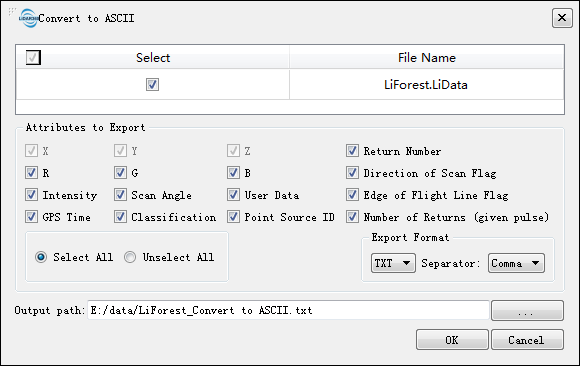
Settings
- Input Data: The input file can be a single point cloud data file or multiple data files. File Format: *.LiData.
- Attributes to Export: Users can select the attributes that need to be exported. All Las attributes are supported.
- Export Format: LiPowerline supports two suffix formats: txt and csv, and support separators are: commas, spaces and TAB.
- Output path: Path of the output folder. After the conversion is executed, the converted new file(s) will be generated.