
Generate Distribution Network Trajectory
Summary

Generate inspection trajectories suitable for distribution networks. The distribution network trajectory generation includes four different modes (Mode 1, Mode 2, Mode 3, and Mode 4), each producing distinct trajectory patterns.
Mode 1
Capture three photos of each tower, with each photo centered on the tower marking points.
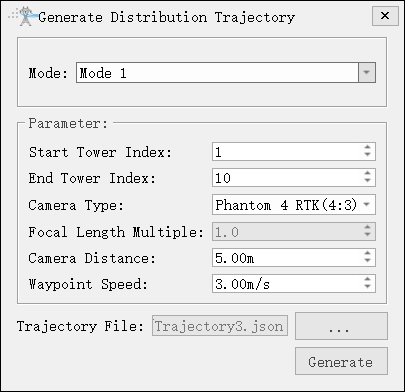
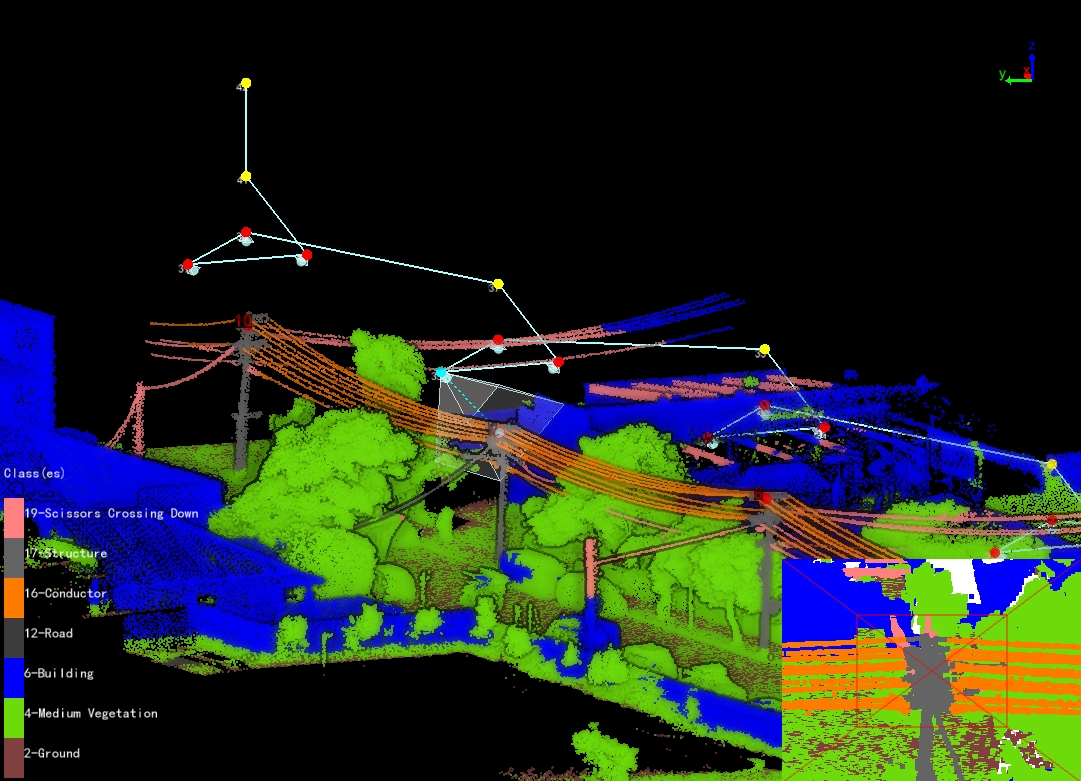
- Mode(default is "Mode 1"): Capture three photos of a single tower (from the left, right, and top of the tower).
- Start Tower Index: Set the starting tower index.
- End Tower Index: Set end tower index.
- Camera Type: Select camera type for taking photos. New camera types can be added in the camera configuration.
- Focal Length Multiple: Set camera focal length.
- Waypoint Speed(m/s)(default value is "3.0"): Set waypoint speed.
- Camera Distance(m)(default value is "8.0"): The shooting distance from the waypoint to the part point.
Mode 2
Capture 13 photos of each tower along the trajectory, including the tower marking point, tower base, and major side channel.
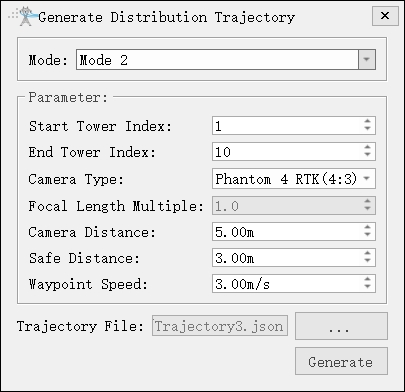
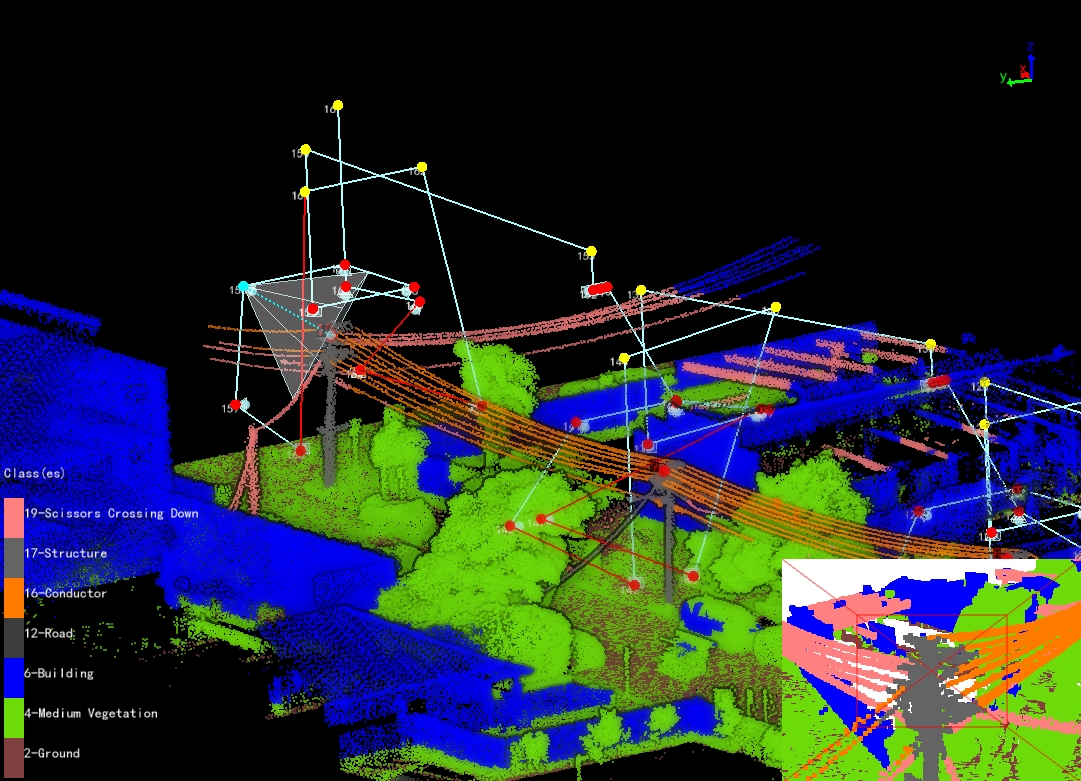
- Mode 2: Capture thirteen photos of a single tower. (Eight photos taken from the four directions of the tower at two heights, two photos taken from the tower base, and three photos taken from the major side.)
- Safe Distance(m)(default value is "3.0"): Set safety distance and enable obstacle avoidance detection.
Note: To avoid collisions with towers during UAV return, the automatically generated trajectory must ensure the starting point is higher than the tower. After generating the trajectory, it is recommended to analyze the safety.
Mode 3
Capture 6 photos of each tower on the trajectory, including tower marking point, tower body, and major and minor side channel.
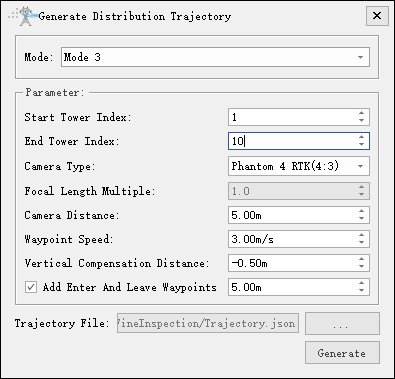
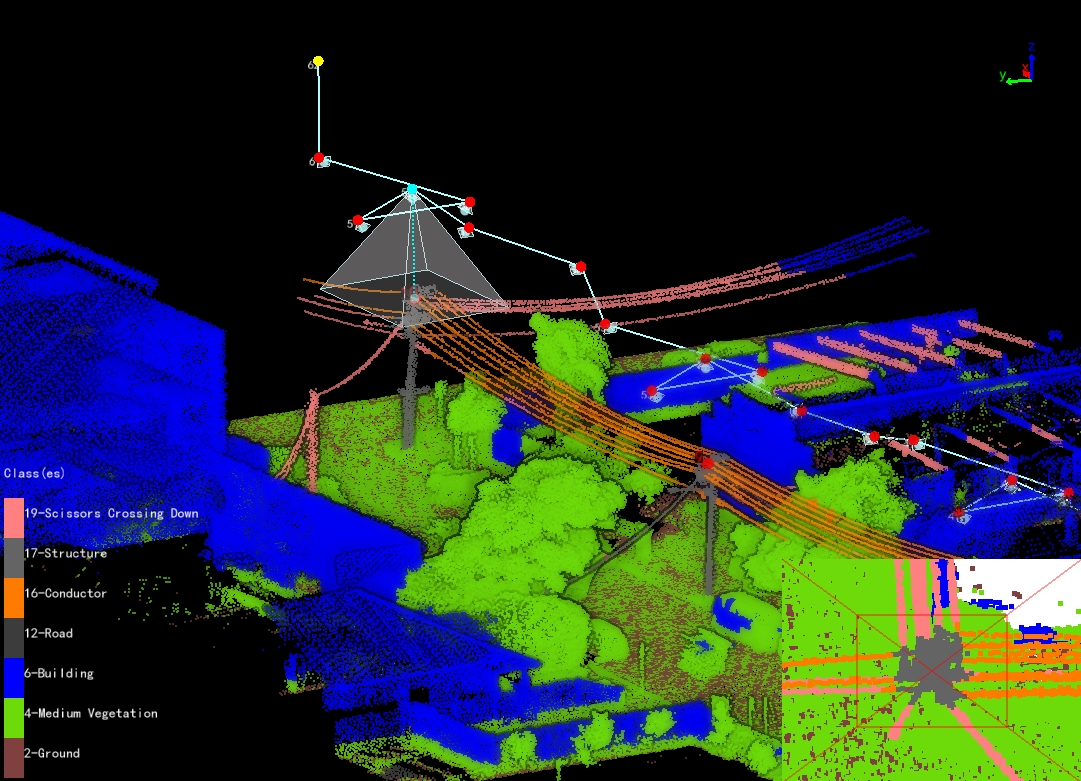
- Mode 3: Capture six photos of a single tower. (overall view of the tower, minor side, major side, left and right of the tower head, and top view of the tower head.)
- Vertical Compensation Distance(m)(default value is "-0.5"): Adjust the height of the target points for photography on the left and right sides of the tower head. A positive value raises the target point; a negative value lowers it.
- Enter And Leave Waypoints(checked by default): Add two auxiliary points for entering and leaving the tower.
Mode 4
Capture 8 photos of each tower on the trajectory, including tower head, cross arm, insulator, major and minor side channel.
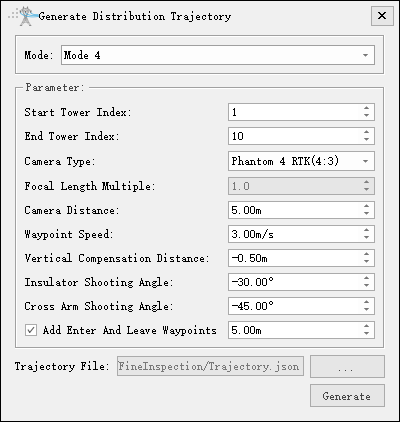
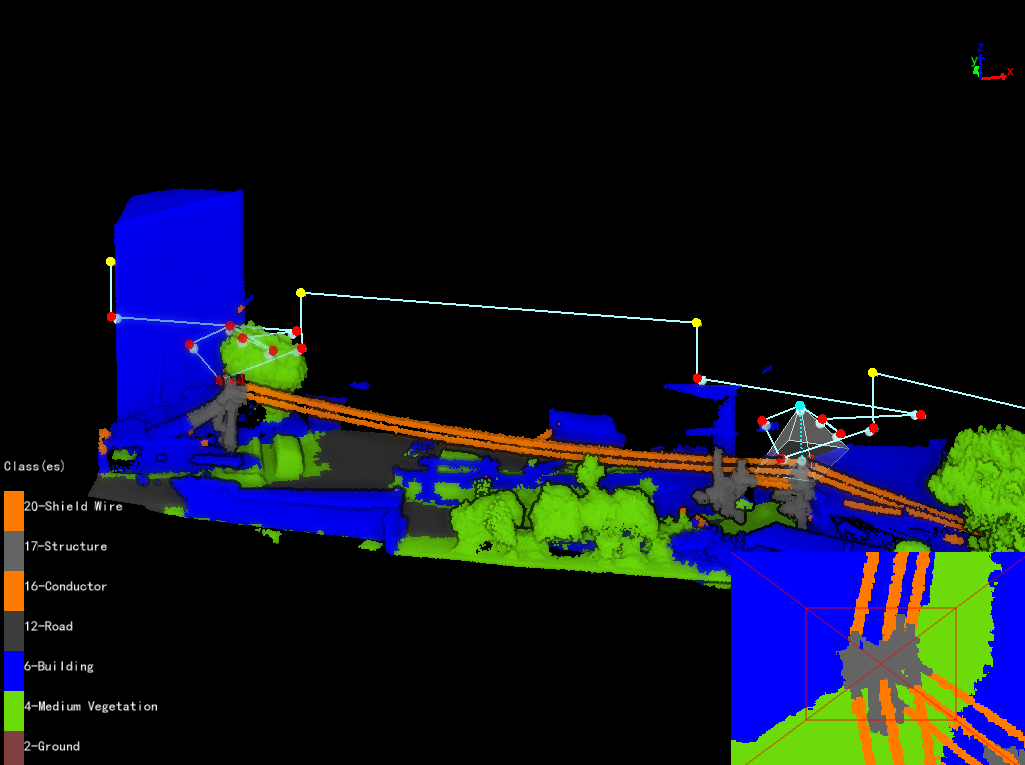
- Mode 4: Capture eight photos of a single tower. (overall view of the tower, cross arm, insulator, top view of the tower head, minor side and major side.)
- Insulator Shooting Angle(°)(default value is "-30.0"): Set the shooting angle for the insulator.
- Cross Arm Shooting Angle(°)(default value is "-45.0"): Set the shooting angle for the cross arm.