Skip to content
LiPowerline Docs
Search
K
Main Navigation
User Manual
Tutorials
FAQ
Release Notes
English
Simplified Chinese
Japanese
English
Simplified Chinese
Japanese
Menu
Return to top
On this page
Language
The supported languages in LiPowerline are English and Japanese.
Steps
Click
Display > Language > English
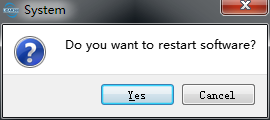
to switch menu language. It will be effective after software restart.
Click
Yes
to restart the software immediately; Or click
Cancel
to restart later.