Editor
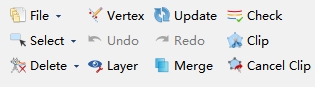
- Select:
- Window Selection: Left click to draw a rectangle and entities within the rectangle will be selected.
- Select Layers: Click and check the corresponding layer in pop-up window. All entities on this layer will be selected.
- Deselect All: Cancel all selection.
- Delete:
- Delete Entity: Delete selected entity.
- Delete Layers: Delete entity on selected layer.
- Vertex: Edit node on entity. Left click to select entity and then drag node to other place.
- Update: Refresh scene.
- Undo: Go back to last edition. This tool is not available while editing.
- Redo: Redo last edition. This tool is not available while editing.
- Clip: Crop point clouds for easy browsing and operation.
- Merge: Merge point cloud and vector lines. Discretize vector lines within the scene and merge them into point cloud data. Parameter settings reference Merge point cloud and vector data function.
- Cancel Clip: Cancel the cropping point cloud operation.
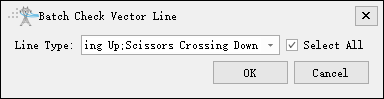
Check

As shown in the following figure, check whether the insulators, power lines, shield lines, drainage threads, scissors crossing up lines, and scissors crossing down lines in the scene are correct; It can be checked separately or multiple options can be selected for batch inspection.