
Generate Channel Trajectory
Summary

Generate the channel inspection trajectory above the line.
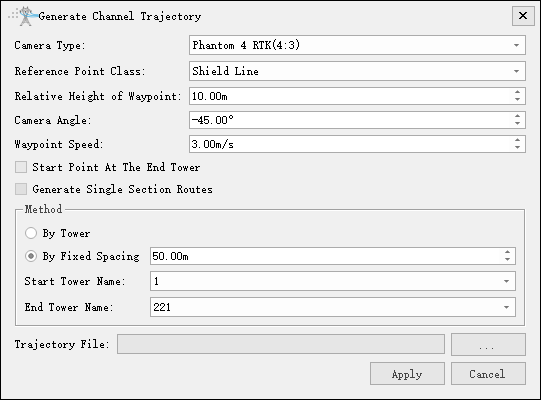
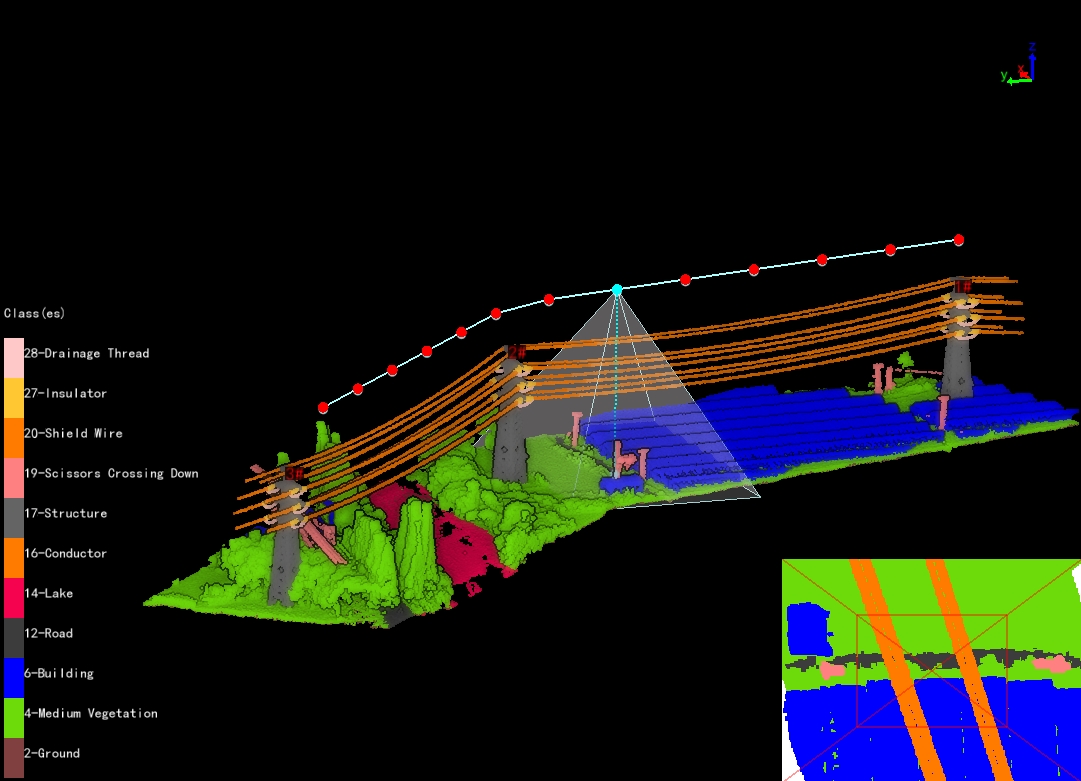
- Camera Type: Select camera type for taking photos. Add a new camera type in the camera configuration.
- Reference Point Class: Set reference point class.
- Relative Height of Waypoint(m)(default value is "10.0"): Set the relative height of waypoint.
- Camera Angle(°)(default value is "-45.0"): Set the camera angle, the pitch angle of the photo waypoint.
- Waypoint Speed(m/s)(default value is "3.0"): Set waypoint speed, keeping two decimal places.
- Start Point At The End Tower: Not checked by default. If checked set the starting point near the end tower.
- Generate Single Span Trajectory: Not checked by default. When checked, generate a single span trajectory. Only available in fixed spacing mode.
- Method
- By Tower: Whether to generate the channel trajectory according to the tower information.
- By Fixed Spacing(m)(default value is "50.0"): Set the fixed spacing. Generate the channel trajectory according to the fixed spacing, generating a waypoint at every interval.
- Start Tower Name: Set the name of the starting tower and generate a trajectory from the tower.
- End Tower Name: Set the name of the end tower and generate a trajectory to the tower.