
Substation Inspection
Summary
The Substation Inspection module can plan UAV trajectory for substation inspection, enabling automatic inspection and photography at substations. Enter the substation inspection menu, which includes four functional modules: Configuration, Trajectory Planning, Image, and Tools, as shown in the figure below.
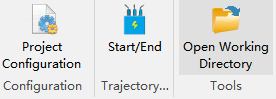
- Project Configuration: Click "Project Configuration" to set up substation inspection parameters, mainly including Common Settings, Inspection Settings, and Camera Settings.
- Trajectory Planning: Click the "Start/End" button to enter the trajectory planning function menu to plan substation inspection trajectory.
- Tools: One-click quick access to the working directory folder.
Trajectory Planning
Click the "Start/End" button to enter the trajectory planning function menu, as shown in the figure below.

Tools
Click the "Open Working Directory" button to quickly open the working directory folder.