
Gaussian Splats Context Menu
Summary
The context menu of gaussian splats in the layer management tree mainly includes Import Data and Remove All for table data, as well as Information, Open File Location, Return, Settings, and Remove operations for a single model data.
Context Menu of Data Type
- Import Data: The import data format is Gaussian Model(*.LiSplat,*.ply,*.xml). A dialog box pops up; select the gaussian model data to open.
- Remove All: Remove all model data in the system from the software.
Context Menu of Data
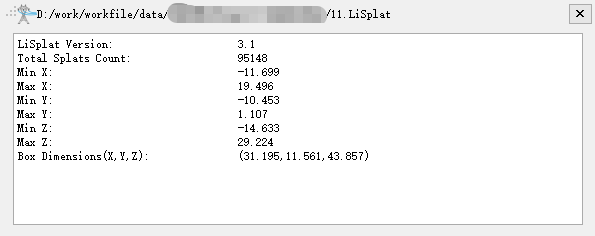
Information: View the basic information of the gaussian model, including the data path, LiSplat Version, Total Splats Count, maximum/minimum X, Y, Z values, and Box Deimensions.
Open File Location: Open the file location of the gaussian model data.
Return: Return to the initial position of the gaussian model data.
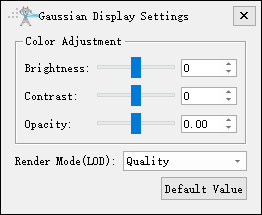
Settings: Gaussian display settings.
Remove: Remove the selected gaussian model data from the software.
Note: Except for Import Data and Remove All, the other context menu functions are effective on all windows where this model is loaded.