
File Operation
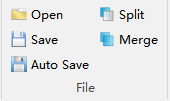
The substation inspection file menu is shown in the figure below, including functions to Open, Save, Auto Save, Split and Merge trajectory files.
Open

Open JSON format trajectory files.
Save

Save JSON format trajectory files, which are by default saved in the detailed inspection folder under the working directory.
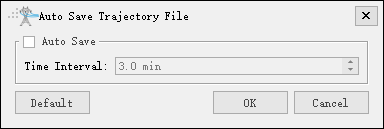
Auto Save

Automatically save trajectory files according to the set time interval.
Split

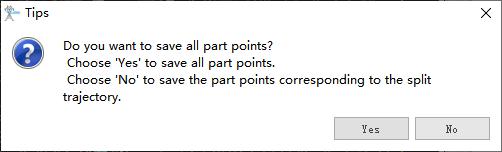
Split JSON format trajectory files based on selected waypoints. After selecting the function button, click any waypoint in the trajectory to use it as a split point, dividing it into two trajectory files. You can choose whether to keep all part points or corresponding part points.
Merge

Add multiple trajectory files to merge them sequentially into one trajectory file.
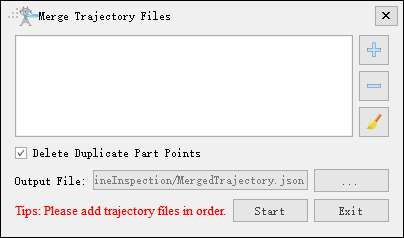
- Delete Duplicate Part Points: Delete duplicate part points in trajectory files based on tower information and part point positions.
Note: Please add trajectory files in order.