
Merge Report
Summary

This feature is used to merge multiple analysis reports into a single document. The functional interface is shown in the following figure, which can process multiple data simultaneously. Click to add the data to be processed, click
 to remove the selected data, click
 to clear the data list.
Usage
Click Completion Analysis > Other > Merge Report
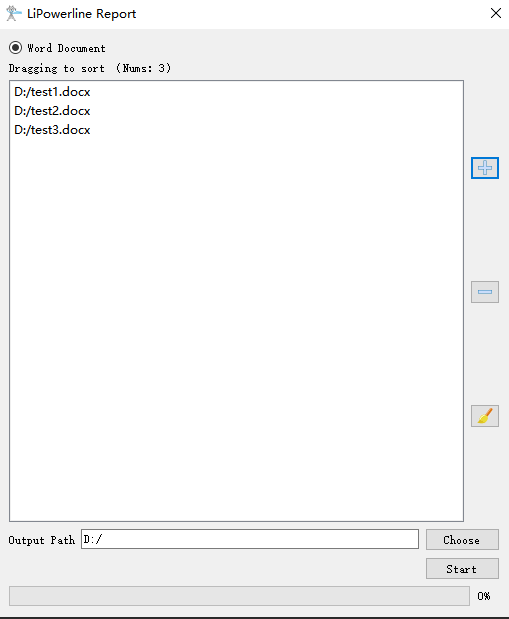
Parameter settings
- Output Path: Set the output directory path where the merged report file will be saved.
Note: This feature is mainly used to concatenate multiple Word documents.