
AI Assistant
After launching the software, you need to log in to LiCloud first. Then click the AI icon on the main interface to display the GVAgent interface. GVAgent is a software assistant running in the LiPowerline project environment. Through natural language conversation, it helps you complete data processing work related to power line inspection and completion acceptance. You do not need to remember command line parameters or menu paths — just describe the task in natural language, and GVAgent takes care of parsing, execution, and result verification.
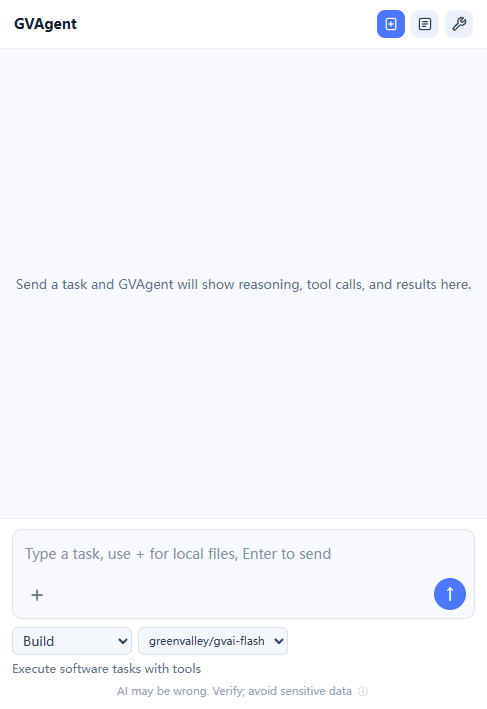
The task scope supported by GVAgent and the corresponding business functions are as follows:
- Data Management: point cloud preprocessing, point cloud classification, strip clip (span division by tower), etc.
- Power Line Processing: power line vectorization, tower-related operations, inspection trajectory planning and management, etc.
- Analysis & Detection: danger point analysis, clearance (safe distance) detection, scissors crossing analysis, tree fall risk analysis, tree growth analysis, etc.
- Result Output: image generation, report generation, reading and summarizing report/result files, multi-period trend comparison analysis, etc.
- Completion Acceptance: analysis work related to completion acceptance.
Usage
Enter the task description directly in the GVAgent conversation window to start working; no command line parameters are required. Common input examples:
- "Classify the point cloud data of project XX"
- "Generate a clearance analysis report for spans 3 to 5"
- "Summarize the acceptance reports under the current project directory"
- "Compare the tree growth risk analysis results of this year with those of last year"
Interaction Process
A complete task proceeds in the following steps:
- Task Parsing: GVAgent identifies the task type and the data it requires.
- Parameter Confirmation: when the task lacks necessary parameters (such as the project path, span number range, report type, or date range), GVAgent asks for them one by one in the order of dependency; you can answer "Use Recommended" directly to adopt the default values.
- Execution & Verification: the task is executed according to the specification of the corresponding function, and the results are verified after execution.
- Result Report: returns the execution status, output file paths, and a summary of the results.
Task Input
- Task Description (required): describe the function to be performed in natural language, such as "clearance analysis" or "report summarization".
- Project & Data: the project directory and the point cloud, vector, and other data involved in the task; GVAgent reads them as needed.
- Business Parameters: span/tower number range, categories, distance threshold, report unit, coordinate system, etc., depending on the function to be performed; GVAgent will ask for missing items one by one for confirmation.
Notes
- For irreversible operations such as deletion or overwriting, GVAgent will first explain the scope of impact and ask for your confirmation before execution.
- GVAgent strictly performs tasks according to the function specifications, and does not invoke undocumented tools or parameters without authorization.
- GVAgent does not access data of unrelated software or private running directories (logs, sessions, configurations, etc.) unless explicitly requested by the user.
- Interface language adaptation: replies in Chinese when the Chinese interface is used, and in English when the English interface is used.