
Vector Line Vectorization
Vector Line Vectorization toolbar is as below, including Three Points Fitting Single Line, Draw Vector Line and Batch Fitting Drainage Threads.
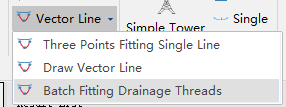
Three Points Fitting Single Line

Manually pick up three points on an individual line to carry out vectorization for a single drainage thread line, scissor crossing up line, or scissor crossing down line. Initially, choose the type of line to be fitted. The operation steps are as below:
- Left click to pick up end point of the vector line, or right click to end fitting.
- Left click to pick up another end point of the vector line, or right click to get back to step1.
- Left click to pick up a middle point of the vector line, or right click to get back to step2.
- Finish fitting and repeat former steps.
Draw Vector Line
Manually pick points to vectorize lines. First select the type of line to be fitted. The operation steps are as follows.
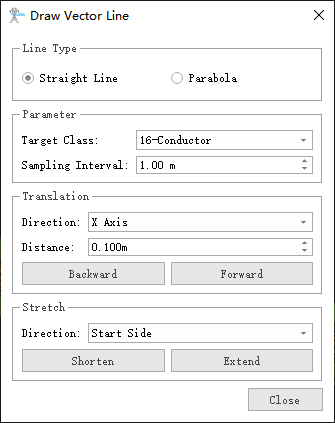
- Line Type(default is "Straight Line"): To define a straight line, two points must be selected; whereas for a parabola, three points are required.
- Target Class(default is "16-Conductor"): The classification of vector lines to be drawn.
- Sampling Interval(meter)(default is "1.0"): Sampling interval for points on generated vector lines.
- Translation(default is "X Axis"): Divided into X Axis, Y Axis, and Z Axis.
- Distance(meter)(default is "0.1"): The displacement distance of the plotted vector line along the designated direction of translation.
- Stretch Direction(default is "Start Side"): It is divided into Start Side, End Side, Both Side, and Ground Side.
Batch Fitting Drainage Threads
To automatically batch-fit the drainage threads, it is necessary to first classify the insulators and drainage threads.
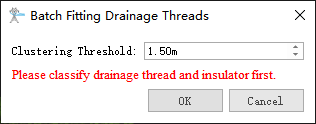
- Clustering Threshold(meter)(default is "1.5"): Set the cluster calculation radius for drainage threads.