Defect Recognition
Summary
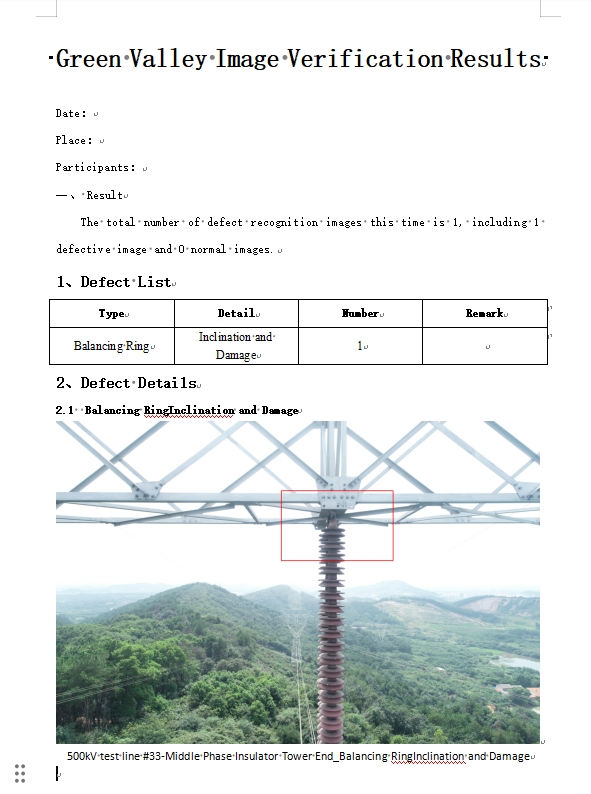
Defect recognition mainly includes place files by location, defect marking, auto recognition, and generate report.

Place Files by Location (Split Pictures)
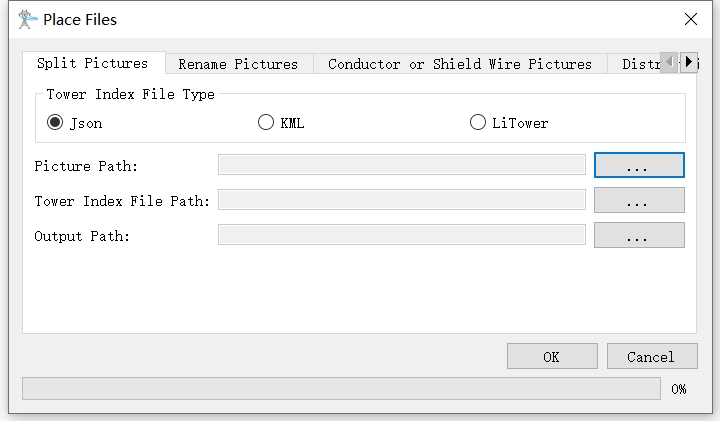
- Picture Path: Specify the photo folder, the folder contains the pictures of the multi-base tower.
- Json Path: The trajectory file is placed in the photo file, which is consistent with the photo path.
- Output Path: Specify the output folder, new files and archive photos will be created according to the tower number.
Place Files by Location (Rename Pictures)
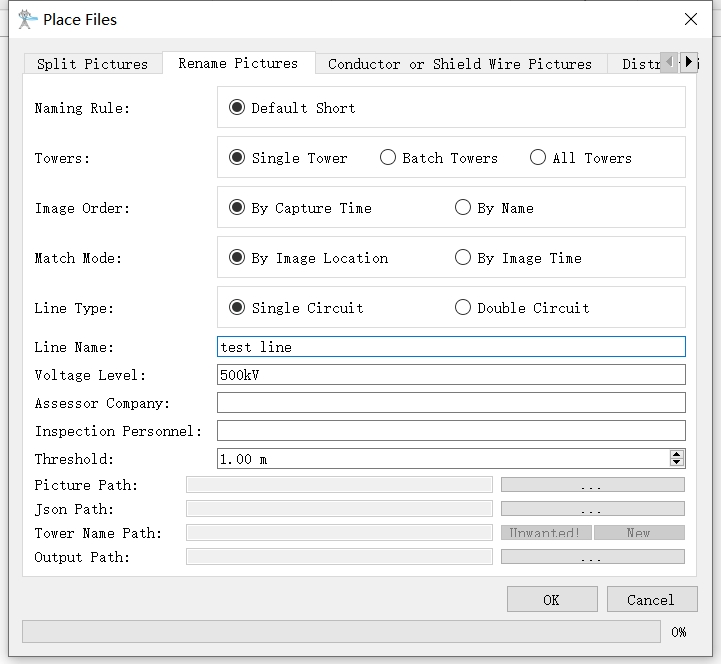
- Naming Rule: The default short naming rule.
- Towers: The default is single tower, if rename the picture of a multi-base tower is needed, batch or all towers option can be selected.
- Image Order: The default is by capture time, can also be ordered by name.
- Match Mode: The default is image location, the photo location matches the waypoint location and the photo location, and the time taken is the waypoint sequence matches the photo time sequence.
- Line Type: The default is single circuit, which is selected according to the tower type.
- Line Name: Customize.
- Voltage Level: Customize.
- Assessor Company: Customize.
- Inspection Personnel: Customize.
- Threshold: The default is 1m, automatically match when the space position difference between the image and the waypoint is less than 1m.
- Picture Path: Specify the path of the photo directory.
- Json Path: Specify the flight path file, do not need to enter if the multi-tower is renamed.
- Tower Name Path: Specify the tower name path when double circuit line type is selected.
- Output Path: Specify the output directory.
Place Files (Conductor and Shield Wire Pictures)
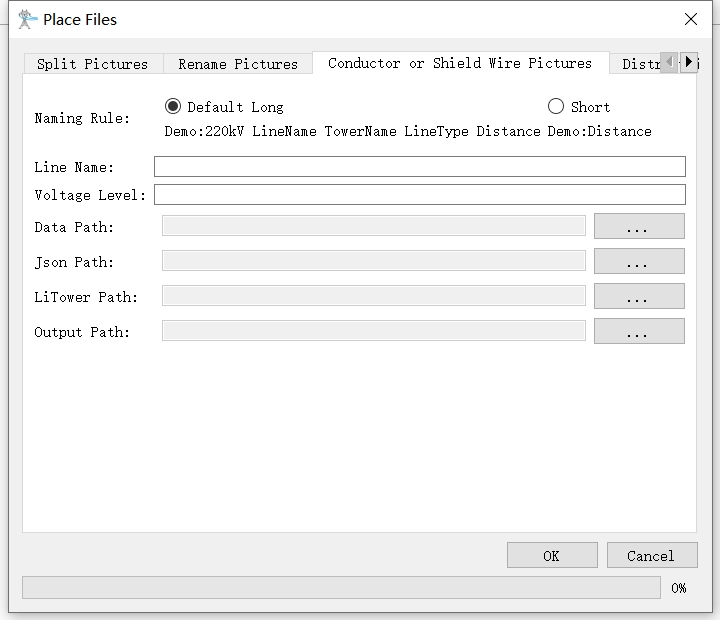
- Naming Rule: The default long naming rule and another short rule.
- Line Name: Customize.
- Voltage Level: Customize.
- Data Path: The organized path for conductor and shield wire photos.
- Json Path: Specify the trajectory file.
- LiTower Path: Specify the LiTower file.
- Output Path: Specify the output path.
Place Files (Distributing Network Pictures)
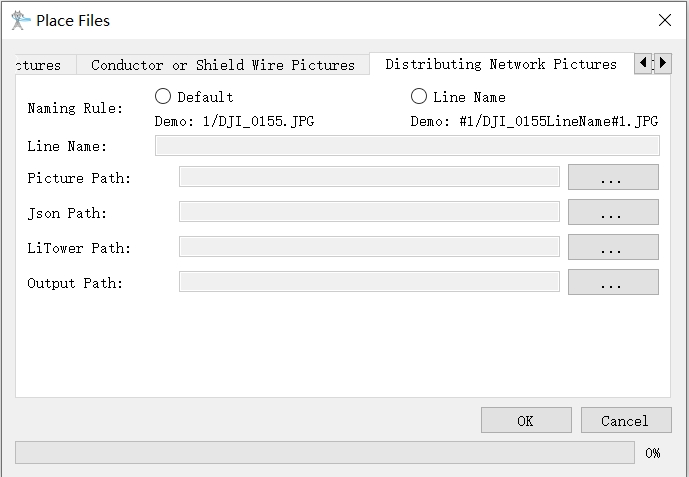
- Naming Rule: The default naming rule and another rule with line name.
- Line Name: Customize.
- Picture Path: Distributing network pictures path.
- Json Path: Specify the trajectory file.
- LiTower Path: Specify the LiTower file.
- Output Path: Specify the output path.
Place Files (Imitation Line Pictures)
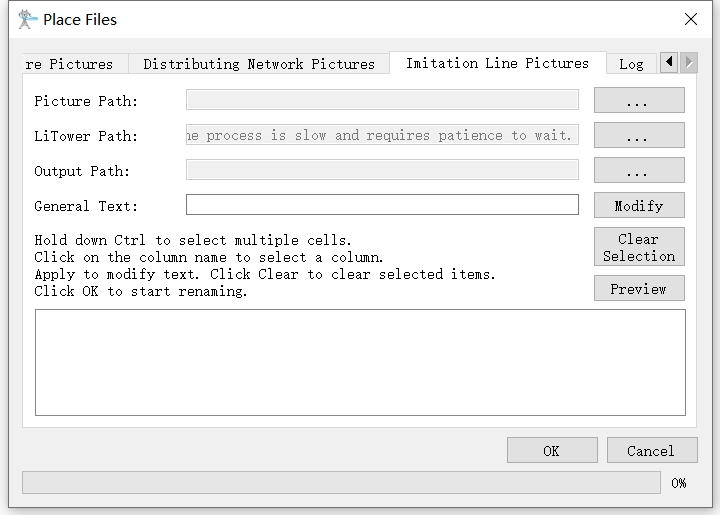
- Picture Path: Imitation line pictures path.
- LiTower Path: Specify the LiTower file.
- Output Path: Specify the output path.
- General Text: Edit text.
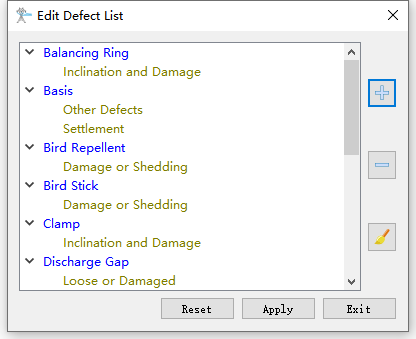
Edit Defect List
Edit the defect groups and categories in the dialog.
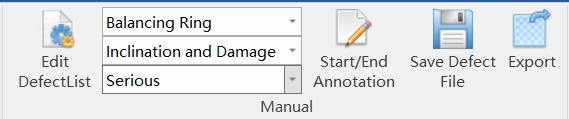
Defect Annotation
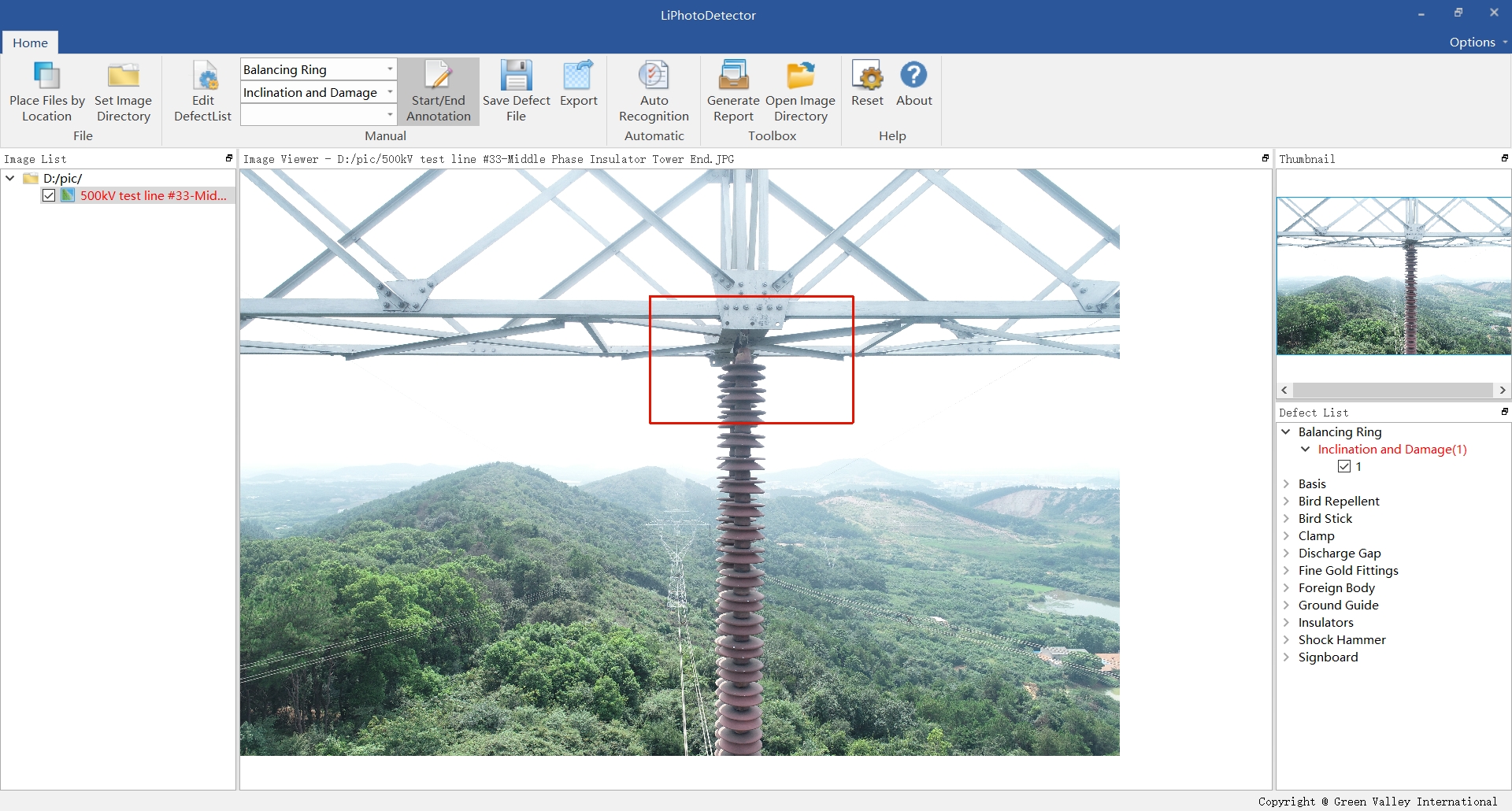
First select the defect category, click the "Start/End Annotation" to frame the defect area on the picture, a red frame will be displayed, then click "Save Defect File", and then click the "Export" button to export the defect picture.
Generate Report
Click the "Generate Report" button to automatically generate a report.