
Auto Save Settings
Summary

The time interval can be set to automatically save the executed operations for point cloud classification. Note: All operations for point cloud classification are temporary and must be saved before they can take effect.
Steps
Click
Display the automatic save settings interface, as shown in the following figure.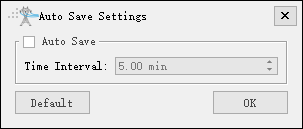
Check "Auto Save" and set a time interval before clicking "OK". The default time interval is 5.00 minutes.