
Add and Merge Point Cloud Data

Brief: Merge two or more point clouds in LAS/LAZ or LiData format to one single point cloud in LiData format.
Steps
- Click tool button to open the Add and Merge Data window.
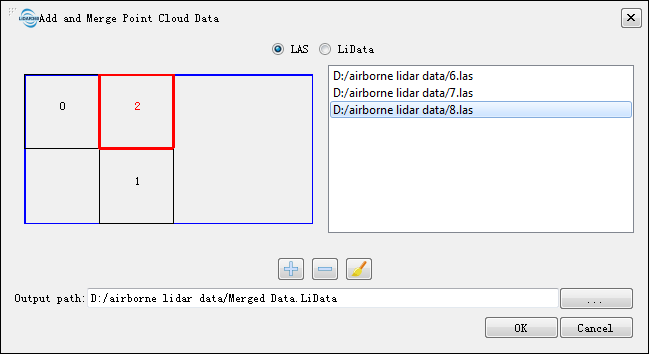
Bounding boxes of point clouds are displayed in the left area. Bounding box of the selected point cloud is highlighted in red.
Select LAS or LiData as your data type.
Click
 to add LAS/LiData file(s).
Click
 to remove LAS/LiData file(s).
Click
 to remove all file(s).